
This morning I visited the web site of a faucet supplier. Initially, things looked fine:

But then it redirected to what looks exactly like a Cloudflare verification page:
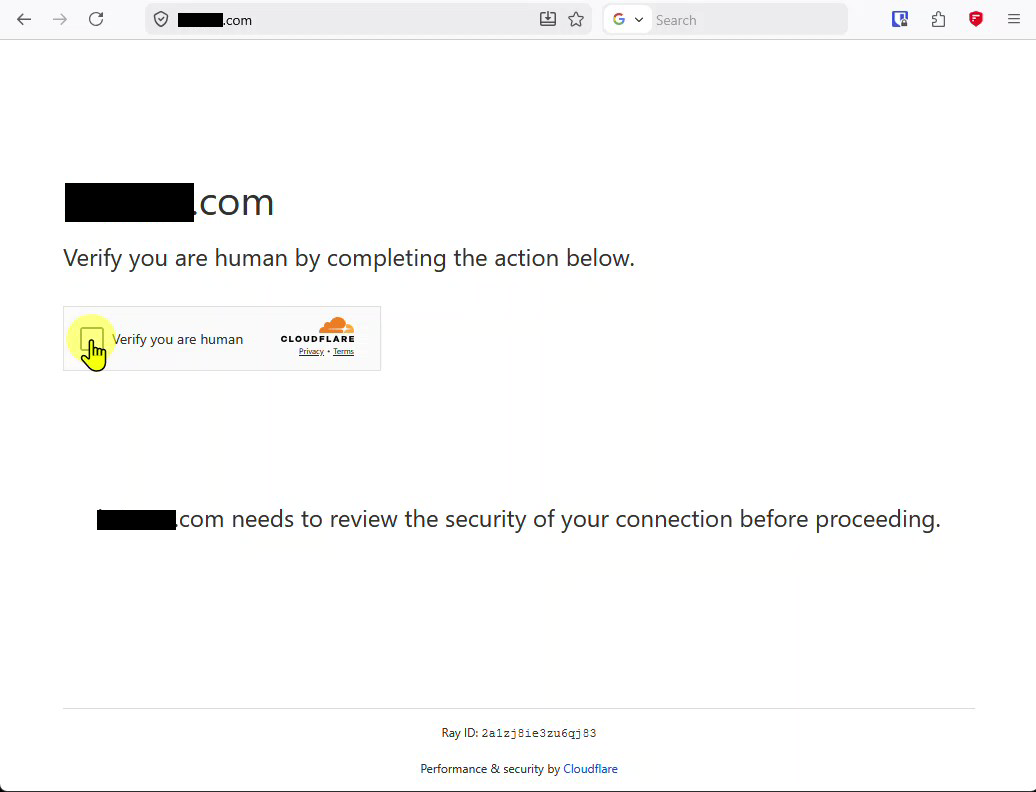
Thinking back, this is already a clue: if Cloudflare verification were in use, the verification would happen before any of the web site content was displayed.
After clicking in the Verify you are human box, something appeared that I had never seen before:
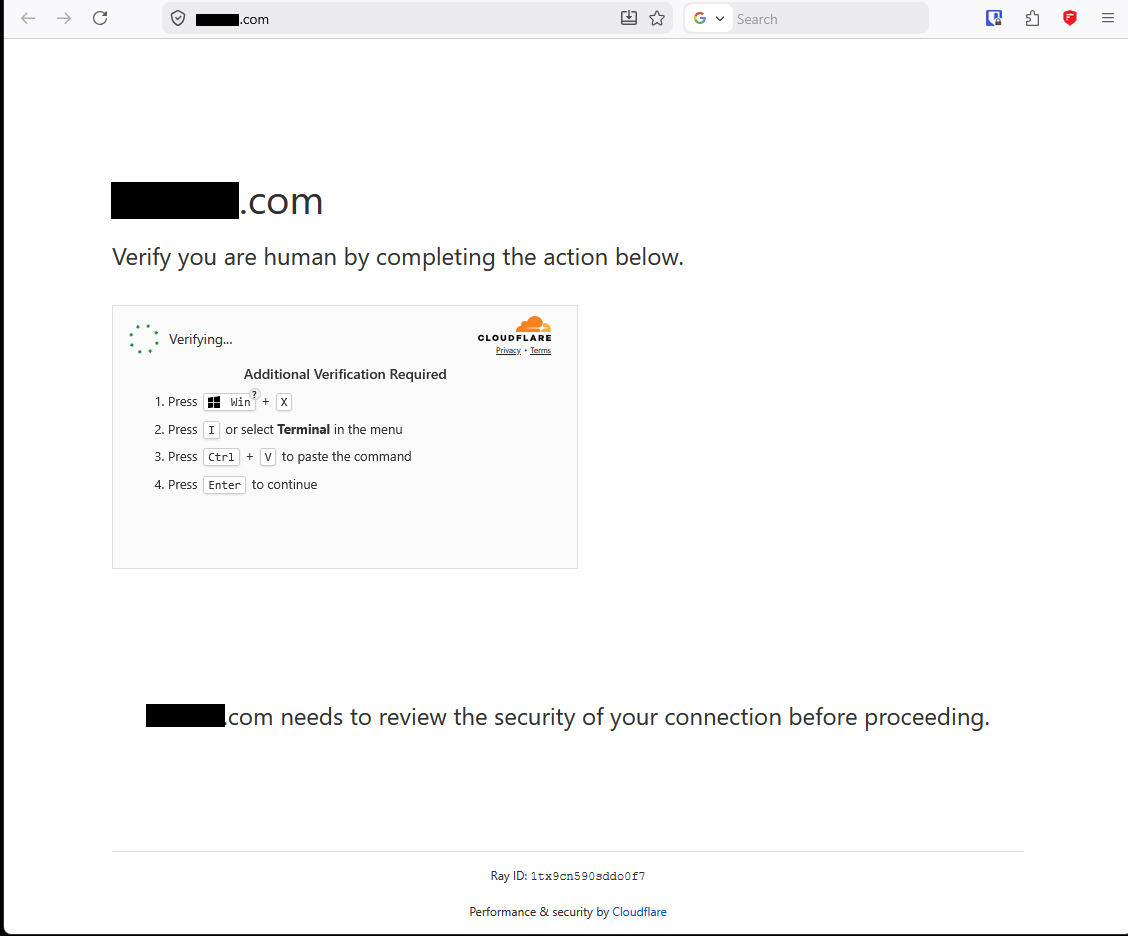
The “Terminal” it asks me to open there is a PowerShell window. And Ctrl-V would paste whatever is in the clipboard. I opened Notepad to see what that would be:

I googled the IP address (obfuscated here for safety) and got this AI summary:
The IP address xxx.xxx.xxx.xxx is flagged by threat intelligence databases as a malicious server associated with “ClickFix” campaigns and malware delivery. It is heavily involved in social engineering schemes, such as fake CAPTCHA prompts, which trick users into downloading and executing malicious scripts via PowerShell.
When I searched for “cloudflare challenge prompting to paste verification into powershell”:
This is a highly dangerous malware attack known as a “ClickFix” or “Fake CAPTCHA” campaign. Legitimate services like Cloudflare will never ask you to open PowerShell, press
Win + R, or paste commands to pass a human verification check….If you ran the command, your computer is likely infected with an information stealer (such as Lumma Stealer), which silently harvests your saved browser passwords, browser cookies, and session tokens.
There are many posts about this hack (1, 2). This article, over a year old, looks like it may be relevant, since the site is in fact hosted on WordPress: Another Fake Cloudflare Verification Targets WordPress Sites.
Do not, ever, open a command or PowerShell window when instructed to do so by some random web site!