
I hate it when this happens.
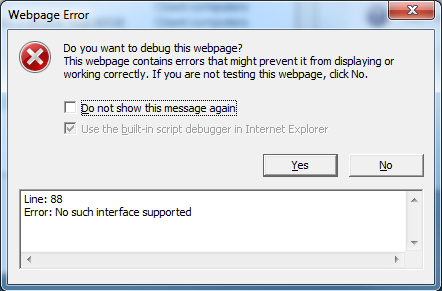
Under Windows 7, Internet Explorer 8 was giving consistent messages when JavaScript tried to open a new window: "No such interface supported."
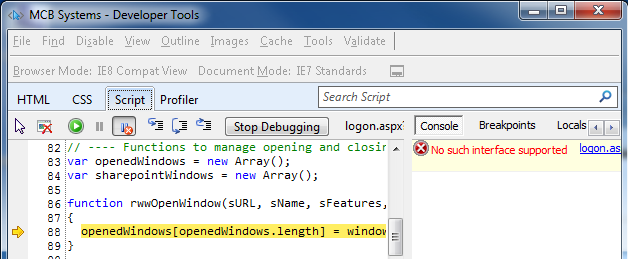
Debugging mode shows that this is happening when trying to open a window:
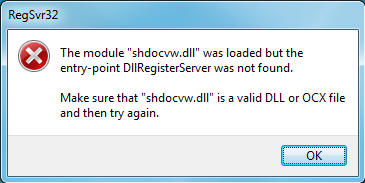
Google has many suggestions, mostly about using regsvr32 to re-register actxprxy.dll (which works) and shdocvw.dll (which fails with a message like "The module ‘shdocvw.dll’ was loaded but the entry-point DllRegisterServer was not found. Make sure that ‘shdocvw.dll’ is a valid DLL or OCX file and then try again.").
This stackoverflow article led me to the MSKB 180176 about the problem under IE4 (!). That led to the modified article 281679 for IE 5 and 6. Unfortunately, no similar article exists for IE 8. But: read the symptoms in that article. Sure enough, even when I right-click on a link and select Open in New Window, nothing happens. So it’s not just a JavaScript issue.
I tried resetting IE 8 to its default, suggested here. Didn’t help.
I tried MSCONFIG, disabling all non-Microsoft startup items, also suggested here. Didn’t help.
I tried re-registering all the DLLs listed in MSKB 281679, even though about half of them fail to register in Win7. Didn’t help.
I tried re-registering C:\Program Files\Internet Explorer\ieproxy.dll, as suggested in a partner forum. Didn’t help.
I tried rebooting to Safe Mode with Networking (had to type in my Bitlocker key–that’s new). THAT helped! Okay so it’s a driver?
This is on a docked Lenovo ThinkPad T60p. I tried booting undocked. THAT worked! Okay so it’s something that only happens when docked–video?
Just for grins, I tried booting docked again, with all drivers enabled. NOW it works!
What? What happened? What fixed it? Did I need to reboot after one of those regsvr32 calls? Is the problem permanently fixed?
I’m glad it’s working for now, but I sure wish I knew what the problem was and what fixed it!
Update March 18, 2011: Same issue with trying to access SBS 2008 Remote Web Workplace. Added screen shots above. Undocking did not help this time.
Had the same exact problem!
Apparently it’s a common problem, so MSFT has created an utility(.exe) to repair all the miss registered .dll’s, defective add-ons…
http://support.microsoft.com/gp/ie_performance_and_safety/en-us?entrypoint=lightbox
Tried that “IE Performance and Safety” FixIt program this time. It said it fixed security errors and enabled Data Execution Prevention. This did not solve the problem. When I ran it again, it again said that Data Execution Prevention was disabled, so apparently it did not succeed in enabling that.